DigiPi Hotspot
Overview
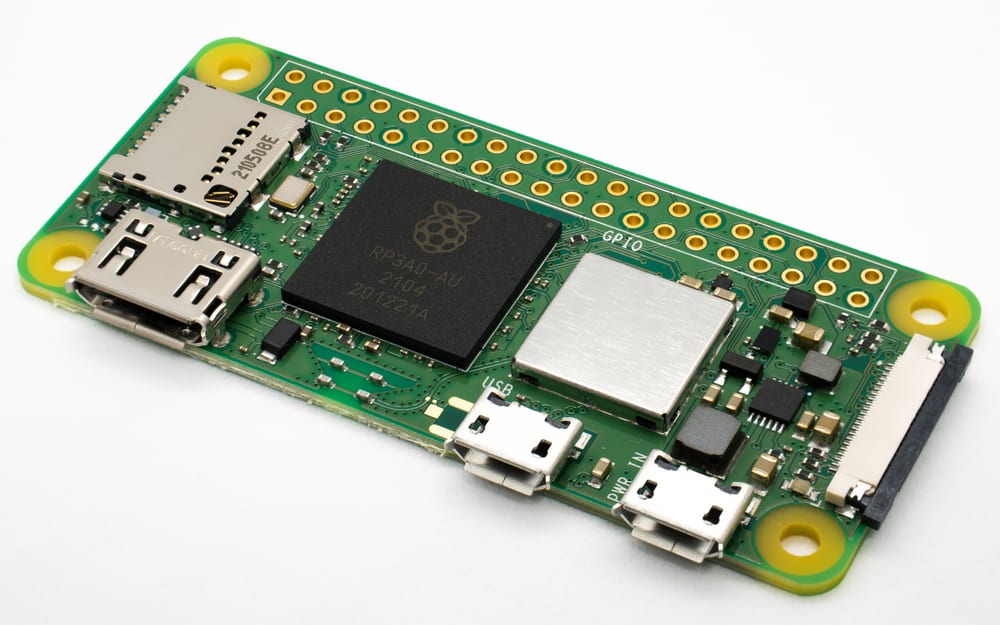
The DigiPi Hotspot is KM6LYW Radio's (Craig Lamparter) ham-radio data hotspot — a Raspberry Pi SD-card image that turns a Pi Zero 2 W (or Pi 3/4/5) plus a radio-audio interface into a Wi-Fi-served gateway for the digital modes. Where the other two hotspots in this lineup (SkyBridge Plus and the WPSD DIY build) are DMR appliances — MMDVM hats that bridge a digital-voice handheld to a talkgroup network over the internet — the DigiPi is the odd one out: it does no DMR at all. Instead it makes APRS, AX.25 packet, Winlink email (Pat), FT8 (WSJT-X), JS8Call, FLDigi (CW/PSK31/RTTY/MFSK/SSTV), and a KISS/Bluetooth TNC accessible from a phone or laptop browser, driving an ordinary FM HT or an HF SSB rig through a sound-card interface. This deep dive covers the platform and its hardware permutations, the connect-over-Wi-Fi operating model, per-mode operation, and the interface-board / PTT-circuit build decisions — sourced from KM6LYW's public documentation (craiger.org/digipi, digipi.org) and the DigiPi 2.x release notes, not from a bench unit in hand.
Context
DigiPi is deliberately the data counterpart to a DMR hotspot. A DMR hotspot (WPSD/SkyBridge) needs an MMDVM RF hat and connects a DMR handheld to BrandMeister/TGIF; the DigiPi needs no RF hat of its own — it borrows the operator's existing radio as the transmitter and only supplies the modem (Direwolf / WSJT-X / ARDOP running on the Pi) plus an audio + PTT interface between the Pi and the radio. Two hardware paths exist: a USB-CAT rig (IC-7300, IC-705, Yaesu FT-991, Xiegu) needs only the Pi and a USB cable; a non-USB rig (Baofeng/other HT, FTM-series mobiles) needs a radio-audio interface board — a Masters Communications DRA-Pi-Zero, a DigiPi Hat, a Fe-Pi Audio Z v2 sound card with a small 2N7000 + 100 kΩ PTT circuit, a Digirig Mobile, or an AIOC "All-In-One-Cable." The whole thing is administered over its own Wi-Fi AP (SSID DigiPi) from a browser, which is what makes it a "hotspot" in the everyday sense — no HDMI monitor, no keyboard, no desktop.
Deep dive
Firmware & software
- FirmwareDigiPi SD-card image 2.2-1recommendedvendor ↗2 versions