WPSD DIY Hotspot · Volume 1
WPSD DIY Hotspot — Vol 1: Introduction & Hardware
Hand-built Pi + MMDVM duplex + Nextion display
1.1 About this volume
The DIY WPSD HotSpot is the hand-built DMR hotspot in this lineup — a Raspberry Pi + duplex MMDVM hat + Nextion HMI display + 3D-printed (or off-the-shelf) enclosure assembled in April and May of 2022 from individually sourced parts, flashed to Pi-Star, and since migrated forward to W0CHP-PiStar-Dash (WPSD). It is the tinker half of the two-hotspot duality that runs through this volume and its sibling Vol 21 (SkyBridge Plus): the SkyBridge is the BridgeCom-built turnkey appliance that sits on a shelf and gets reflashed when BridgeCom validates a new image, and this hotspot is the bench-side build assembled from scratch — with a chosen enclosure, a soldered Nextion adapter, a duplex-capable MMDVM hat, and currently runs as the always-on companion to the SkyBridge.
It earns the bench slot as the DIY hotspot in the lineup for several distinct reasons that the SkyBridge can’t satisfy and a third turnkey unit wouldn’t add. Customisability is the headline — the Nextion 3.5” HMI display alone makes the on-shelf experience qualitatively different from the SkyBridge’s 0.96” OLED (TX/RX state, last-heard callsign, talkgroup, RSSI, network status, BER, all visible at desk distance in a single glance, with screen layout selectable from a community library), and the underlying Raspberry Pi can be SSH’d into for any configuration the WPSD dashboard doesn’t expose. Cost is the second — the total BOM for the build came in around USD 50-80 in early 2022 (the Pi was the biggest line item, with the MMDVM hat at $30-40, the Nextion display at $25-35, the enclosure under $20), compared against the SkyBridge Plus’s USD 230 retail at BridgeCom. Learning is the third — building the stack from a flashed SD card up, picking which MMDVM hat to source, wiring the Nextion’s four-wire UART, finding the right HMI layout for the screen size, and walking through the Pi-Star configuration end-to-end builds a working understanding of the MMDVM software stack that the turnkey appliance doesn’t impart. Update cadence is the fourth — the DIY hotspot runs upstream WPSD nightlies (the W0CHP-PiStar-Dash community fork of mainline Pi-Star that took over active maintenance after mainline slowed in ~2023), so any feature that lands in the upstream WPSD repo is available on the DIY hotspot within hours of the commit, whereas the SkyBridge runs whatever BridgeCom has validated and signed off on for their product image, which typically lags upstream by weeks to months.
Why someone picks the DIY hotspot instead of a turnkey commercial unit: every reason above. Why someone picks the turnkey commercial unit instead of building one: assembly time (a few hours of bench work that has to happen before the appliance is usable), occasional firmware troubleshooting (rare, but the WPSD nightlies do occasionally regress in a way that requires either a downgrade or an SSH session to investigate), the absence of any vendor support apparatus (the WPSD community is responsive and competent but it isn’t BridgeCom’s escalation queue), and the need to source MMDVM hats from a market full of clones with varying-quality TCXOs and unmarked QC. The split that works here — own both, run both, partition the network coverage so each hotspot handles its own set of talkgroups — is the right one when you want the experimentation surface of the DIY plus the reliability floor of the appliance.
The hostname tjs-duplex in the current backup filename and the prior pi-star-duplex in the April 2022 legacy backup tell the operational story: the hotspot is configured as a duplex MMDVM (separate TX and RX frequencies with an offset, the classic DMR Tier II repeater split that simulates two-timeslot operation properly), and it has been the duplex unit since first assembly. The SkyBridge Plus is typically run as a simplex hotspot; this DIY unit running duplex is the other axis along which the two hotspots are partitioned. See §3 (Operating modes) for the duplex-vs-simplex deep treatment.
This volume reflects the actual build. Where the canonical write-up applies — Pi-Star history, MMDVM stack, BrandMeister and TGIF and W0CHP, talkgroup numbering, etiquette — the deep treatment lives in Vol 21 (SkyBridge Plus) and load-bearingly in Vol 2 (DMR Network Architecture); this volume cross-links rather than duplicates. Where the build differs from the SkyBridge — duplex operation, Nextion display, Pi-Star → WPSD migration history, the legacy configuration archive — this volume covers it in depth. Cross-link to Vol 8 (AnyTone AT-D878UVII PLUS) for the radio side; the D878 talks to both hotspots in this lineup, and its codeplug carries one zone per hotspot.
TBD — verify. Several configuration items are inferable from the archive but the bench unit’s specific build details need physical confirmation. Specifically: (1) the exact Raspberry Pi model (the STEP file in the Nextion design archive is
Raspberry Pi 4 Model B.STEP, which strongly suggests Pi 4B is the host SBC — but the file could also be reference geometry for a Pi-shaped MMDVM hat that the build actually mounts on a Pi Zero 2 W or Pi 3B+; verify by reading the WPSD dashboard’s “Hardware” panel or by looking at the unit). (2) The exact MMDVM hat model (duplex is confirmed by thetjs-duplexhostname and theMMDVM-Nextion-Screen-Layouts-master/HMI Files/.../Duplex_*layout files in the archive, but the specific clone — “Jumbo-Spot Duplex,” ZUM Radio MMDVM_HS_DUAL_HAT, BI7JTA dual-port, etc. — should be confirmed against the silkscreen on the installed board). (3) The Nextion display size (the archive contains HMI files for 24-, 32-, and 35-prefix sizes corresponding to 2.4”, 3.2”, and 3.5” Nextion variants; the build photo timestamps suggest the larger 3.2” or 3.5” was the practical choice for an at-desk hotspot, but the specific size is verifiable by reading the part number off the Nextion board’s back). (4) Antenna configuration for duplex operation — duplex MMDVM hats typically expose two SMA jacks (one TX, one RX) requiring two antennas, OR a single SMA via a duplexer/diplexer; the build photos would confirm which configuration was chosen. The volume text below assumes Pi 4B + duplex MMDVM hat + 3.5” Nextion + two-antenna duplex configuration as the working hypothesis, with each assumption flagged where it materially affects the discussion.
1.2 Hardware tour
The DIY WPSD hotspot is the assembled stack of four mostly-independent hardware pieces: the Raspberry Pi single-board computer as the host, the MMDVM hat as the radio, the Nextion HMI display as the operator interface, and the enclosure that holds them together physically. Each of those four pieces was sourced separately, and each was a decision made at build time in early 2022.
1.2.1 Raspberry Pi (compute host)
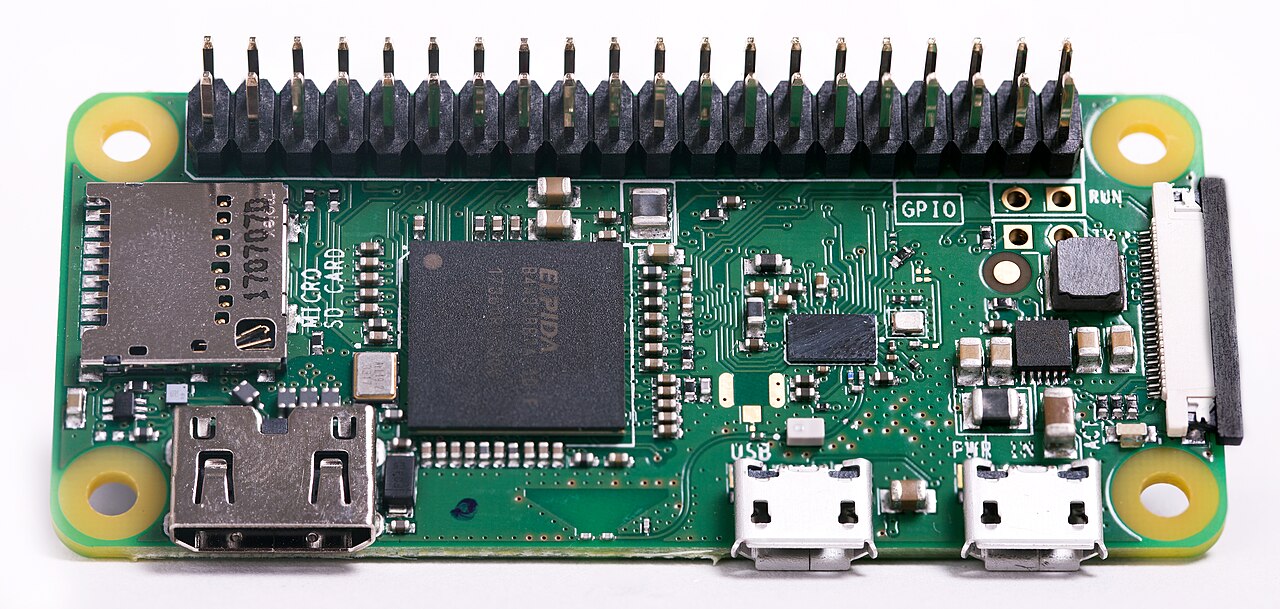
The reference STEP file in the Nextion design archive is Raspberry Pi 4 Model B.STEP, which is the strongest signal that the host SBC is a Pi 4 Model B. Pi 4B is a sensible choice for a DIY hotspot in the 2022 build window: quad-core Cortex-A72 at 1.5-1.8 GHz, 2-8 GB LPDDR4, dual-band 802.11ac Wi-Fi, BLE 5.0, gigabit Ethernet, USB-C power input. Compared to the Pi Zero W in the SkyBridge (Vol 21 §2 ↗), the Pi 4B is overkill for the WPSD workload — MMDVMHost, DMRGateway, and the few WPSD daemons together consume well under 5% of even a single Pi 4 core — but the headroom is welcome for the Nextion serial-driver work, for any future plugin loading, and for running web-UI plus an SSH session plus a tail of MMDVMHost.log simultaneously without any latency. The Ethernet port on the Pi 4B is a significant operational advantage over the SkyBridge’s Wi-Fi-only posture: wired Ethernet eliminates the entire class of “the Wi-Fi flaked out and the hotspot dropped offline” failures that the SkyBridge intermittently suffers (Vol 21 §7 ↗), and the bandwidth headroom for MMDVM streaming on the wired side is irrelevant (DMR is <10 kbit/s per slot) but the reliability headroom is real.
TBD — verify Pi model. Possible alternatives that would have been period-appropriate in early 2022: Pi 3B+ (quad-core Cortex-A53 at 1.4 GHz, 1 GB, dual-band Wi-Fi, gigabit Ethernet, micro-USB power) — also reasonable and slightly cheaper, identical form factor and HAT compatibility; Pi Zero 2 W (quad-core Cortex-A53 at 1 GHz, 512 MB, single-band 2.4 GHz Wi-Fi, no Ethernet) — would be the smallest-footprint choice, would fit a much smaller enclosure, would also be Wi-Fi-only like the SkyBridge. The STEP file is design-time reference geometry; the actual installed Pi may differ. Read the WPSD dashboard’s hardware-detect panel or pull up the unit’s
/proc/cpuinfoover SSH to settle this definitively.
The microSD card is the boot device and the entire filesystem. A high-endurance card is strongly recommended for any Pi that runs 24/7 — Samsung PRO Endurance is the canonical choice in the Pi community (rated for ~140,000 hours of continuous video recording, which translates to years of WPSD-grade logging and minor writes), and SanDisk High Endurance is the second-tier alternative. A consumer-grade microSD will eventually fail under the constant write workload of /var/log/MMDVMHost.log and similar; the failure mode is silent corruption that takes weeks to manifest, which is precisely the wrong failure mode for an always-on appliance.
1.2.2 MMDVM hat (radio subsystem)
The MMDVM hat is the daughter-board that sits on the Pi’s 40-pin GPIO header, exposes the SMA antenna jack(s), and handles the actual RF TX/RX. The duplex MMDVM hat installed here (confirmed by the tjs-duplex hostname and the abundant _Duplex_* HMI layouts in the Nextion archive) is a distinct hardware class from the simplex hat that ships in the SkyBridge — it has two separate radio modules (one TX, one RX), each with its own TCXO-disciplined synthesizer, each with its own SMA jack on the outside of the hat, and the firmware that runs on the hat’s MCU (typically an STM32F103-class part) coordinates the two so that the hat can transmit on one frequency and receive on another simultaneously. The simplex hat (Vol 21 §2 ↗) is the single-radio-module version that handles one transmission at a time and time-multiplexes between TX and RX on the same channel.
The functional payoff for the duplex hat: it can act as a true DMR Tier II repeater, with the two DMR timeslots properly interleaved on the TX side while the RX side simultaneously decodes anything coming back on the input frequency. From the radio’s perspective the duplex hotspot looks exactly like a real DMR repeater on the air — the radio can subscribe to talkgroups on both slots, and traffic on each slot is independently routed. The simplex hat, by contrast, can only handle one transmission at a time and effectively pretends to be a single-slot device. For an operator with one radio, the practical difference is small (a single HT only keys one transmission at a time anyway), but for an operator with two radios in the same household — or for the case where the hotspot is bridging two network talkgroups simultaneously and the operator wants both slots active in parallel — duplex is meaningfully more capable.
TBD — verify exact MMDVM hat model. The community-standard duplex options available in early 2022: ZUM Radio MMDVM_HS_DUAL_HAT (the canonical reference duplex hat, by KI6ZUM and KE0FHS; well-documented, generally well-built TCXOs, ~$80-100); Jumbo-Spot Duplex (the popular clone family — visually similar to the ZUM, varying-quality TCXOs and QC, ~$30-50, the higher-risk lower-cost choice); BI7JTA dual-band duplex (Chinese manufacturer with active firmware support, ~$50-70). The specific model is verifiable by reading the silkscreen on the installed board. Practical implication: the lower-end clones occasionally need a frequency-offset calibration through the WPSD dashboard’s “Modem” panel because their TCXOs aren’t on-frequency out of the box; the ZUM and BI7JTA generally are.
The hat’s two SMA jacks (typical for duplex; single-jack-with-internal-duplexer designs do exist but are less common at amateur prices) imply a two-antenna configuration: one antenna on the TX jack, one on the RX jack, with enough physical separation between them to prevent the TX side from desensing the RX side. The community convention for low-power hotspots is to put the two antennas a few inches apart (sometimes literally on opposite sides of the enclosure), and to use directional whips or rubber ducks pointed in slightly different directions if the receive sensitivity ends up degraded. At the 10-20 mW TX power level common for hotspot operation, the desense problem is manageable; at higher TX power (which would itself be a misconfiguration for a hotspot — see Vol 21 §6 (Antenna placement and RF posture) ↗) the two-antenna isolation becomes the limiting factor.
TBD — verify antenna count. If the bench unit is actually a single-jack duplex hat with an internal duplexer, the operational and physical-deployment picture is different (one antenna, but the duplexer adds a ~1 dB insertion loss on both sides). Read the back of the MMDVM hat or count the SMA holes in the enclosure to settle this.
1.2.3 Nextion display (operator HMI)
The Nextion display is the largest visible difference between the DIY hotspot and the SkyBridge. It is a smart serial display — Nextion is a brand of HMI display by Itead Studio that integrates a TFT colour LCD, a touch overlay (resistive on most models, capacitive on a few), and an onboard microcontroller that runs the display logic (graphics rendering, touch handling, page transitions) internally. From the Raspberry Pi’s side, the connection is a single 4-wire UART — power (5 V), ground, RX from the display’s perspective (TX from the Pi’s), and TX from the display’s perspective (RX to the Pi). All the display logic runs on the Nextion’s MCU; the Pi just sends command strings (“show last-heard callsign on the DMR page”, “increment the slot-1-active flag”) over the UART, and the display interprets them and updates its graphics.
The community-standard layouts archived under programs/wpsd-hotspot/Nextion Display/MMDVM-Nextion-Screen-Layouts-master/ are by WA6HXG (Ryan), maintained on GitHub and widely adopted across the MMDVM hotspot community. The archive contains HMI source files (the editable Nextion-Editor project format) and TFT files (the compiled binary format that uploads directly to the display) for three screen sizes — 2.4” (320×240, the smallest practical size; the size prefix in filenames is 24in), 3.2” (400×240, the most popular hotspot size; filename prefix 32in), and 3.5” (480×320, the largest practical size; filename prefix 35in). Each size has Blue and Green colour-scheme variants, each in Simplex and Duplex flavour, each at several version numbers tracking incremental layout improvements (2.0, 2.1, etc. — see the README for the version history).
The duplex layouts at the 3.2” and 3.5” sizes are the ones this duplex hotspot can use; the simplex layouts work too but waste the slot-2 display real estate. The screen typically shows: the current TX/RX state with a TG-colour-coded indicator, the last-heard callsign and DMR ID (the headline information the operator wants when QSO-checking), the talkgroup number and name for both slots in the duplex layouts, the RSSI in dBm and BER (bit error rate) for QSO quality assessment, the network status (connected to BrandMeister / TGIF / W0CHP), and timing/duration counters for the in-progress call. The dwell-on-information density is what the SkyBridge’s 0.96” OLED cannot match — the OLED has space for four lines of text and has to cycle through them; the Nextion 3.5” has space for all of it at once.
TBD — verify Nextion size. The build’s actual display is one of 2.4”, 3.2”, or 3.5” — likely 3.2” or 3.5” given all three sets of HMI files are archived, but the larger sizes are the practical at-desk choice. Read the part number off the back of the display (Nextion model numbers follow the pattern
NX4024T032_011Rwhere032is the screen size in tenths of an inch andRindicates resistive touch).
The Nextion connects to the Pi via the GPIO header’s UART pins (/dev/ttyAMA0 or /dev/serial0 after the boot-loader and console are reassigned away from the UART — the Pi’s standard configuration requires this), at the baud rate the Nextion firmware is configured for (typically 9600 baud for the older WA6HXG 2.x layouts, 115200 for the 3.x layouts that use the ON7LDS-derived Nextion Driver). The wiring is a four-wire ribbon: 5 V from the Pi’s 5 V pin (the Nextion has its own onboard regulator), GND to the Pi’s ground, Nextion-TX to Pi-RX (GPIO 15), Nextion-RX to Pi-TX (GPIO 14). The Pi’s /boot/config.txt needs enable_uart=1 and dtoverlay=disable-bt (to free the primary UART from the BLE controller it normally drives on Pi 3B+ / 4 / Zero 2 W), and /boot/cmdline.txt needs the console=serial0 boot console removed. WPSD’s setup tooling handles this automatically when the Nextion display type is selected in the dashboard.
The Nextion also has a microSD slot on the back — this is not the Pi’s microSD; it’s the Nextion’s own slot used for uploading TFT firmware files. You drop the compiled .tft file from the WA6HXG repository onto a freshly FAT32-formatted microSD, insert it into the Nextion, power-cycle the display (which auto-detects the SD and flashes itself), then remove the SD and the new layout is live. This is the easiest way to swap layouts; the alternative is over-UART flashing via the Nextion Editor on a Windows PC, which is more work but allows interactive layout debugging.
1.2.4 Enclosure and physical assembly
The enclosure is the most personalised piece of the build — community options range from 3D-printed cases (Thingiverse and Printables have dozens of designs specifically sized for MMDVM hat + Nextion display combos), to commercial enclosures from BridgeCom and DealExtreme that wrap the same Pi-plus-hat-plus-Nextion stack, to laser-cut acrylic frame designs, to bare “exposed-board” mounts on a bookshelf. The Nextion’s resistive touchscreen wants a flat front face with a cutout for the display, the MMDVM hat wants its SMA jack(s) accessible from a side panel, and the Pi wants its USB-C power input and Ethernet jack accessible from a back panel. The seven build photos in programs/wpsd-hotspot/Pix - My HotSpot Build/ from April and late April 2022 document the specific build sequence; those photos are the authoritative record of which enclosure was used and how the Nextion ribbon and antenna cabling were routed.
Build photos (
programs/wpsd-hotspot/Pix - My HotSpot Build/):20220420_104751.jpg,20220420_104831.jpg,20220426_141411.jpg,20220426_141424.jpg,20220426_141436.jpg,20220426_142804.jpg,20220426_142815.jpg. The two April-20 photos document the initial assembly state; the five April-26 photos document either the completed build or a major reassembly. Useful reference for any future re-build or for verifying the Nextion ribbon routing.
The STEP CAD files in programs/wpsd-hotspot/Nextion Display/STEP Files/ (Raspberry Pi 4 Model B.STEP and likely sibling files for the MMDVM hat and the Nextion display) are the 3D reference geometry for a custom enclosure — these are the inputs to FreeCAD / Fusion 360 / SolidWorks for redesigning the case or printing a replacement.
1.2.5 Power and physical specs
Power is 5 V via USB-C for a Pi 4B host (or micro-USB for a Pi 3B+ / Zero 2 W). The Pi 4B is sensitive to under-voltage — the official 5.1 V 3 A USB-C power supply is the canonical choice; a generic phone charger may trigger the under-voltage warning and lead to intermittent throttling. Power consumption: Pi 4B alone at idle ~600 mA, plus the MMDVM hat at ~100 mA idle and ~200 mA TX, plus the Nextion 3.5” at ~120 mA (display + backlight) = ~800-900 mA total at idle, ~900-1000 mA at TX. A 5 V 2.5 A supply is the minimum; the 3 A official Pi supply is the right answer.
Dimensions depend on the enclosure: a typical 3D-printed case sized for Pi 4B + duplex hat + 3.5” Nextion lands around 130 × 85 × 60 mm, weight ~250-350 g depending on case material (PETG vs PLA) and whether antennas are counted. Smaller for a Pi Zero 2 W build; larger for a built-in-fan enclosure.
Comments (0)